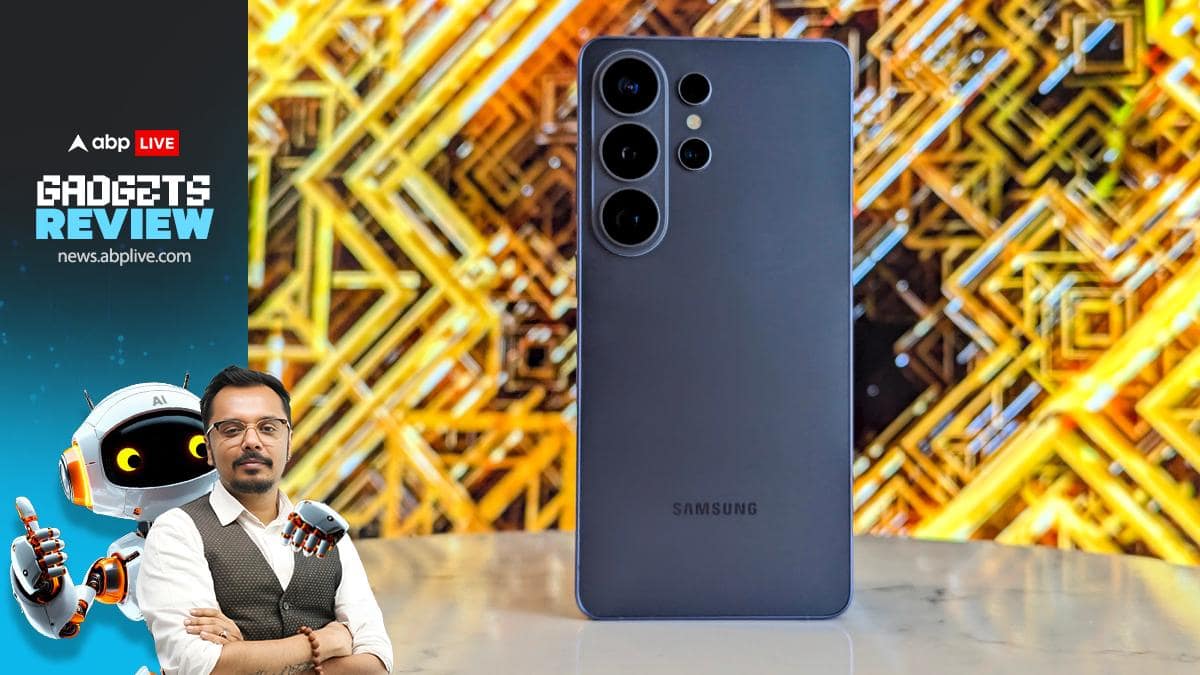
<p><em><strong>Samsung Galaxy S26 Ultra First Review:</strong> </em>The battle of 2026 flagships has officially begun. The mandate for this year is pretty simple: whoever makes the customer <em>feel</em> the AI power on their phones will be a clear winner. Now, AI has been around for ages. The Samsung Galaxy S series and Google Pixel series have been leaders in this category for years now, thanks to the Korean giant’s Galaxy AI, which is steeped in all sorts of Gemini wizardry, finetuned for Samsung hardware, and Pixel’s very own stock Android + Gemini experience, which makes both solid contenders. Apple, with the iPhone 16 and 17 series, has entered the game with its own Apple Intelligence as well, but has miles to catch up first. </p>
<p>This sets up the background for the entry of the Galaxy S26 Ultra, Samsung’s top-tier heavy hitter and this year’s first truly ‘premium’ phone. And make no mistake, Samsung has gone all-in on AI. The Galaxy S26 Ultra promises the ‘AI Agent’ experience, letting users choose between the good ol’ Gemini or the new-kid-on-the-block Perplexity, easing tasks with a semblance of voice-controlled automation.</p>
<p>However, great software alone is not enough, unless there is solid hardware muscle to back it up. To enable faster AI processing, the Galaxy S26 Ultra’s Snapdragon Elite Gen 5 SoC comes with a finetuned neural processing unit (NPU) that boasts a ’39 per cent speed boost’ that can perform up to 65 trillion operations per second (TOPS), which in turn enables faster on-device AI tasks. </p>
<p>Now, the question boils down to something simple: Is the Samsung Galaxy S26 Ultra worth your money (from Rs 1,39,999 for the base 12GB + 256GB variant to Rs 1,89,999 for the top-end 16GB + 1TB model)? I have been using the base model for a little over 24 hours now, and here’s our early review.</p>
<h3><strong><span style=”color: #ba372a;”>Samsung Galaxy S26 Ultra First Review:</span> How Does It Feel In Your Hand?</strong></h3>
<p><img src=”https://feeds.abplive.com/onecms/images/uploaded-images/2026/03/02/6dfc148eadd84879e31f943b77a34c821772451199717402_original.jpg” width=”720″ /></p>
<p>If you have been a seasoned Galaxy S-series Ultra user, you might not feel much of a difference. Sure, Samsung has managed to shave off 4 grams on the S26 Ultra (214g), when compared to the S25 Ultra. The width has also been reduced to 7.9mm from Galaxy S25 Ultra’s 8.2mm, making the new phone slightly lighter and sleeker than the previous generation.</p>
<p>However, like me, if you are a Pixel Pro user or an iPhone Pro user, you will feel a notable difference. The iPhone 17 Pro Max, for example, thanks to its larger camera module, genuinely feels heavier in your hand (at 233g). The Pixel 10 Pro, on the other hand, is 207g, making it lighter on paper. But when you weigh both the Pixel and the new Ultra in your hand, both feel incredibly light and well-designed.</p>
<p>Speaking of design, I have always appreciated the side-positioned camera modules of the Galaxy S series, and with the Galaxy S26 Ultra, the phone does sit on your hand cosily. You can place your index finger below the rear camera module to sort of hold the phone in place for a better grip. </p>
<p>The Galaxy S26 Ultra comes with a glass back, making it sleek, while the frame is aluminium, making the phone much easier and lighter to hold and operate even in a crowded metro.</p>
<h3><strong><span style=”color: #ba372a;”>Samsung Galaxy S26 Ultra First Review:</span> How Does The Privacy Display Work?</strong></h3>
<p><img src=”https://feeds.abplive.com/onecms/images/uploaded-images/2026/03/02/c64ee8633eae3c90975365be5cca2e721772451328586402_original.jpg” width=”720″ /></p>
<p>Speaking of crowded metros, the Galaxy S26 Ultra’s biggest USP (and arguably a benchmark setter for all future premium phones) is the Privacy Display feature. This is not just a privacy cover slapped on the screen; instead, it is all sorts of engineering wizardry that has gone into designing the OLED panel.</p>
<p><strong>ALSO READ: <a title=”How Samsung Galaxy S26 Ultra’s Privacy Display Works” href=”https://news.abplive.com/technology/samsung-galaxy-s26-ultra-privacy-display-technology-how-it-works-1828886″ target=”_self”>How Samsung Galaxy S26 Ultra’s Privacy Display Works</a></strong></p>
<p>Samsung has added two levels of Privacy Display. First, you have a regular privacy mode that semi-privatises your screen, making it way harder for peeping toms to check out what you are viewing on your screen. The first mode also lets you choose conditions for the privacy mode, allowing you to make sensitive notifications and pop-ups as well as PIN or password zones of your screen invisible from a side angle.</p>
<p>There is another mode, dubbed Maximum Privacy Protection, which turns up the privacy setting to an 11, making your entire screen completely opaque from the sides. But there’s a trade-off here. More on that below.</p>
<p>Personally, the mode I have been using mostly is the first one. This way, my sensitive pop-ups (I can choose the apps whose notifications I want blocked) as well as my PIN input area are blocked, and the screen’s overall brightness and sharpness remain unfaltered. </p>
<p>However, when you toggle Maximum Privacy Protection on, the screen gets visibly washed out. You will have to keep the screen brightness at least 80%, or above, to be truly able to appreciate the display. But that is a trade-off that you will have to accept if you are especially concerned about who can see your screen. </p>
<p>Having said that, you can disable the Maximum Privacy Protection in a second, and that is genuinely handy. As I mentioned earlier, this is a watershed moment in terms of display tech, and while Samsung has now become the first mover and has only to get better at this over iterations, others will simply have to catch up quickly.</p>
<h3><strong><span style=”color: #ba372a;”>Samsung Galaxy S26 Ultra First Review:</span></strong> How Is The Overall Display?</h3>
<p><img src=”https://feeds.abplive.com/onecms/images/uploaded-images/2026/03/02/b826f9bd6a42239f5e19717c215ae0051772451410560402_original.jpg” width=”720″ /></p>
<p>Privacy settings aside, you don’t shell out lakhs on a phone that has a mediocre display. Samsung has never disappointed in this section, and I’m happy to report that the Galaxy S26 Ultra manages to hit it out of the park with poise. </p>
<p>You get a Dynamic LTPO AMOLED screen with up to 120Hz refresh rate (for the apps that need it), HDR10+ codec support for colour sharpness, as well as up to 2,600 nits of peak brightness, making the screen easily visible under the sun. You can push the screen resolution all the way up to QHD+ levels (3120×1440 pixels), and you also get the standard Vivid and Natural colour palettes to play with.</p>
<p><img src=”https://feeds.abplive.com/onecms/images/uploaded-images/2026/03/02/8d6d334720ce7741c97b9dc906c3fb231772460956078402_original.jpg” width=”720″ /></p>
<p>I personally prefer the Vivid setting, as it makes the photos I click look gorgeous. </p>
<h3><strong><span style=”color: #ba372a;”>Samsung Galaxy S26 Ultra First Review:</span></strong> How Is The Battery Performance?</h3>
<p><img src=”https://feeds.abplive.com/onecms/images/uploaded-images/2026/03/02/9a21e3f23069c5e0c74406c40364bec91772461061037402_original.jpg” width=”720″ /></p>
<p>Twenty four hours is still early to provide a verdict on battery prowess, but the built-in 5,000mAh Li-Ion battery is more than capable of handling your daily workhorse duties.</p>
<p>For example, after charging the Galaxy S26 Ultra fully, I left an audiobook playing on YouTube in the background as part of my daily go-to-bed routine. On the morning after, I did some basic shooting with the phone, edited a Reel for hours, and then watched a couple of episodes of <em>Drive To Survive</em> on Netflix, all the while responding to emails and the umpteen number of WhatsApp messages on my work groups. By 8 pm at night, I was still left with about 8% of power left. And this was done without switching to battery saver modes. That’s pretty impressive!</p>
<h3><strong><span style=”color: #ba372a;”>Samsung Galaxy S26 Ultra First Review:</span></strong> How Is The Camera?</h3>
<p><img src=”https://feeds.abplive.com/onecms/images/uploaded-images/2026/03/02/752d7c44fdc50b0bdf43913f21a7c7a01772461364054402_original.jpg” width=”720″ /></p>
<p>Now, let’s come to the Galaxy S-series’ real talking point: the cameras. </p>
<p>Again, if you are a Galaxy S25 Ultra, you might claim that there are not many differences to note in the new Galaxy S26 Ultra. After all, you get the same 200MP wide + 10MP telephoto + 50MP periscope + 50MP ultrawide camera setup as earlier. But if you comb through the spec sheet carefully, the shutter speeds have changed massively for the wide and the periscope cameras. While the first one has gone from f/1.7 to f/1.4, the second one has gone from f/3.4 to f/2.9.</p>
<p>What this does is make the shutter speeds faster, immensely improving low-light performance. Samsung has gone all-out on promoting industry-leading ‘nightography’ for the Galaxy S26 Ultra, and the results should be visible enough. The change in apertures also lends a shallower depth of field, which in turn provides a better bokeh effect. </p>
<p>Of course, our final review of the Samsung Galaxy S26 Ultra will carry detailed results.</p>
<p>For now, if there is one takeaway on the cameras, the Galaxy S26 Ultra does deliver an ‘Ultra’ performance. Thanks to its fun horizon stabilising feature and richer AI optimisation, you will surely get your money’s worth and perhaps a bit more. </p>
<h3><strong><span style=”color: #ba372a;”>Samsung Galaxy S26 Ultra First Review:</span></strong> Should You Buy?</h3>
<p><img src=”https://feeds.abplive.com/onecms/images/uploaded-images/2026/03/02/280554d6b8f1ebe3450af0eced25d9831772461541008402_original.jpg” width=”720″ /></p>
<p>So far, so good. The Galaxy S26 Ultra feels lighter than the iPhone 17 Pro. It is also as fun to use (if not more) when compared with the Pixel 10 Pro. The cameras are great. Run-of-the-mill AI tasks and photo edits are noticeably faster. And of course, the Privacy Display is worth checking out and should ideally be a running feature in all future phones, even the entry-level ones in the series. </p>
<p>Samsung has indeed belted out a chartbuster with the Galaxy S26 Ultra. Stay tuned to <em><strong>ABP Live English</strong></em> for a more detailed review soon. </p>
<div id=”professor_prebid-root”> </div>
About The Author